Wedding Photo Sharing in India: A Complete Guide for 2025
A complete guide to collecting, sharing, and preserving wedding photos in India — covering everything from traditional WhatsApp groups to QR code galleries and what actually works for big fat Indian weddings.
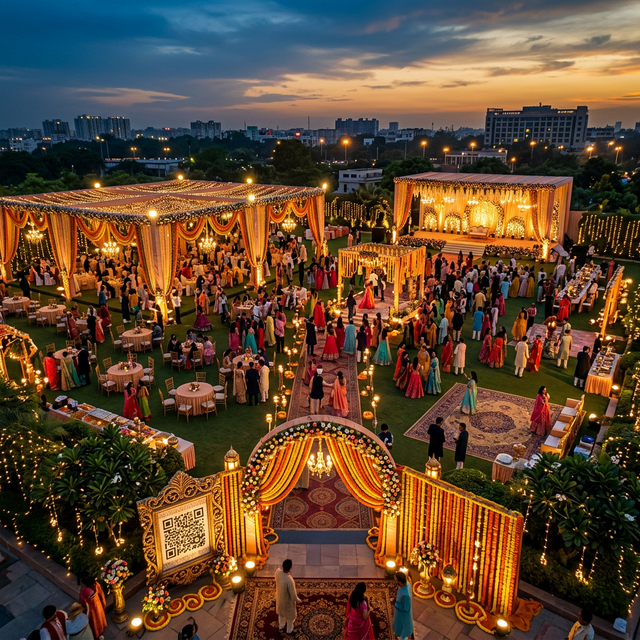
The Scale of the Problem
Consider a typical North Indian wedding with 400 guests across three days. If even one in five guests takes ten photos per day, that's 2,400 photos distributed across 80 phones. The chance of any meaningful percentage of those photos ever reaching the couple is, without a system, nearly zero.
Most couples end up with:
- Their official photographer's gallery (typically 500–800 edited images after a 3-week wait)
- A chaotic WhatsApp group with compressed photos buried between memes and congratulations
- A few photos sent directly on WhatsApp by thoughtful guests
- Scattered Instagram posts under a hashtag they can't easily export
This is not a memory. It's a missed opportunity.
The Four Methods: Pros and Cons
Method 1: WhatsApp Group
✅ Everyone already has WhatsApp
❌ Compresses photos significantly
❌ Impossible to organize 300 photos in a chat thread
❌ Phone numbers exposed to all members
❌ Group gets noisy within hours
Method 2: Shared Google Drive
✅ Original quality preserved
❌ Requires Google account (not universal in Tier 2 and Tier 3 cities)
❌ Confusing navigation for non-technical guests
❌ No organized gallery view
Method 3: Instagram Hashtag
✅ Guests are already on Instagram
❌ Only works if guests post publicly
❌ No centralized download
❌ Mixed in with unrelated content using the same hashtag
❌ Instagram compresses photos
Method 4: QR Code Gallery (EventPixel)
✅ No app download required
✅ Original photo quality
✅ Works for all ages and devices
✅ Private, organized gallery
✅ Bulk download with one click
❌ Requires printing/displaying the QR code thoughtfully
For any wedding with more than 50 guests, Method 4 wins clearly on every metric that matters: participation rate, photo quality, and post-wedding usability.
How to Set Up EventPixel for an Indian Wedding
Before the Wedding (1 week out)
- Create your EventPixel account at eventpixel.app
- Create separate events for each ceremony if you want organized galleries (e.g., "Sharma Wedding — Sangeet", "Sharma Wedding — Reception")
- Customize the welcome message: "Welcome! Share your memories with Priya & Rahul ❤️"
- Download high-resolution QR codes for print
Printing Your QR Codes
Work with your wedding stationer or a local print shop. Options that work exceptionally well for Indian weddings:
- Table standees — acrylic or cardboard, 4"×6" minimum
- Printed on the back of table number cards
- Included in the wedding program booklet
- Large format print on the phoolon ki chadar or welcome arch
- Included in the return gift bag with a small card
During the Wedding
Have your event coordinator or a family member make a brief announcement at each ceremony. Designate one family member per ceremony as the "photo ambassador" — someone who gently reminds guests at their tables to upload their favorites.
After the Wedding
Your EventPixel gallery will continue receiving uploads for as long as the event is open (you control the deadline). When ready, download your complete gallery in original quality with a single click.
Special Considerations for Multi-Day Weddings
- Create one event per ceremony for organized galleries
- Use different QR code designs for each
- Combine galleries after the wedding for a master archive
Conclusion
Your wedding deserves to be remembered from every angle, by every person who was there. In 2025, the technology to make that happen is simple, affordable, and requires nothing from your guests except a 30-second scan.
Don't let thousands of priceless moments stay locked on your guests' phones. Set up your EventPixel gallery before your wedding — it may be the best decision you make outside of choosing the right partner.