Birthday Party Photo Sharing: Make Every Guest a Photographer
Birthday parties are full of genuine, unscripted moments that no hired photographer can catch. Here's how to make sure every memory from your next celebration is captured and kept — forever.
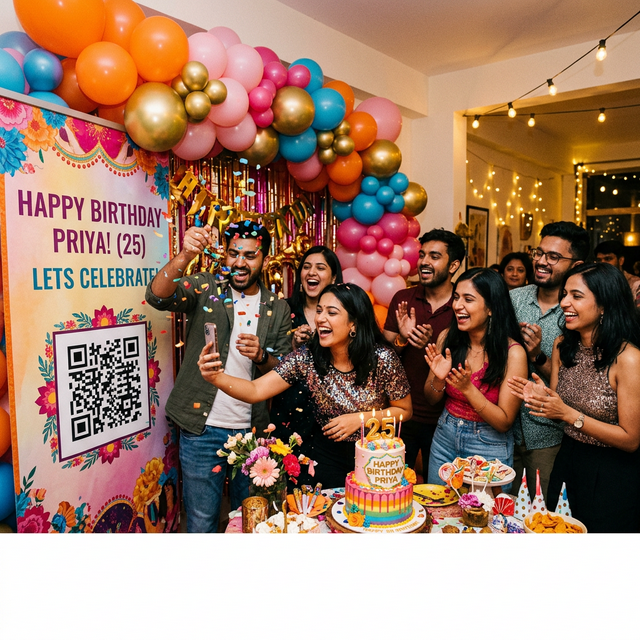
Why Birthday Party Photos Are Special
A birthday party is unique among celebrations for one reason: it's almost always entirely candid. There's no official photographer direction, no posed formation, no "stand here for the family shot." Everyone is in a genuine moment the entire time.
This means:
- The best photos of the birthday person are always taken by guests, not hired photographers
- The most authentic expressions happen when no one is "performing" for a camera
- The timeline of the party — arrival energy, peak celebration, cake cutting, winding down — is only fully captured when many people are documenting simultaneously
A single hired photographer catches one angle of the cake cutting. Twelve guests with smartphones catch twelve different angles, twelve different reactions.
The Memory Collection Problem
After a great birthday party, the photos are scattered. Your best friend has twenty gorgeous shots on their iPhone. Your college group has a reel of videos. Your parents took photos on a Samsung that they don't know how to transfer. Your sibling has the best photo of the whole night and they'll "send it later" (they won't, for at least three weeks).
Without a system, you'll spend days chasing photos. And you still won't get all of them.
Setting Up EventPixel for a Birthday Party
The setup for a birthday party is even simpler than a wedding because you're managing one event, one evening.
Step 1: Create Your Event (10 minutes before the party)
Log in to EventPixel, create a new event, name it something personal: "Neha's 30th — January 2025." Add a welcome message: "Share your favorite moment from tonight! ❤️"
Step 2: Print One Beautiful QR Code
You only need one QR code printed. For birthdays, the most effective placement is directly on or next to the cake table — because every single guest will be near the cake table at some point, and phones are already out during the cutting.
Step 3: One Announcement, Zero Pressure
At some point during the party, say something simple: "Hey everyone — if you took photos tonight, scan this code to share them with [birthday person's name]. It takes 30 seconds and means the world."
What to Do With Your Gallery After the Party
Once your guests have uploaded:
- Download everything in original quality from your EventPixel dashboard
- Identify 30–50 of your favorites
- Create a digital photo album or a printed photo book
- Share a highlight reel back with guests as a thank-you
For Kids' Birthday Parties
If you're organizing a birthday party for a child, EventPixel works equally well. Add a note: "Parents — scan to share your favorite moments from today! We'll turn them into a photo album for [child's name]."
Conclusion
Every birthday happens once. The photos your guests take are the closest thing to a time machine you'll ever have — but only if you can actually collect them.
Set up EventPixel before your next celebration. Display one QR code. Make one announcement. Then let your guests do what they're already doing: capture the moments that matter.